
My daily workflow usually is all about getting a PR approved, merged into the
main branch and, depending on the urgency, wait and release a production
version. So, when I’m done with the PR, I quit my Neovim session and, through the
gh CLI, create the release.
After looking for an already available plugin that does that, and not finding it, I decided to create a simple one that I could use to keep working from Neovim.
The project is available at https://github.com/mesirendon/nvim-ghrelease.
Features
- Lists current releases for context before you start.
- Suggests the next version with a semver bump menu (
major/minor/patch/prerelease/custom). - Buffer-per-step editing:
:wqsaves the answer and advances. - Release-notes sources mirroring
gh: write your own, GitHub-generated template, commit-log template, or leave blank. - Final
Publish/Save as draft/Cancelstep, plus a prerelease question. - Fully async (
vim.system), no blocking of the editor.
Requirements
- Neovim 0.10+ (needs
vim.system; the plugin refuses to load and warns on older versions). Tested in CI on 0.10, 0.11, stable, and nightly. - The GitHub CLI
gh, installed and authenticated:gh auth login - Run the command from within a GitHub repository
A typical workflow
Open Neovim in any repo you want to create the release. Invoke the dialog by typing the keys Space g r. That will open the dialog that shows the current releases and allows you to select the base release.
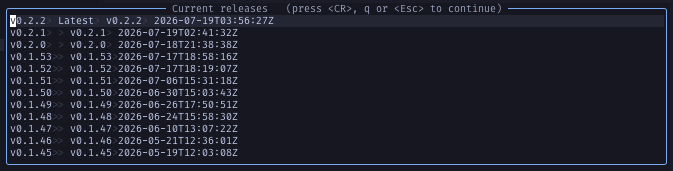
Once you select the base release a new dialog opens asking you to select the next version by using a semver bump.
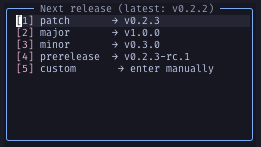
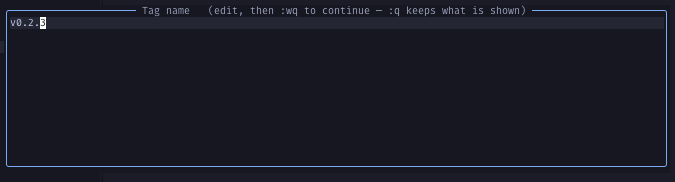
For this example I’m choosing just a patch release. I won’t change any
description for the tag, so I press : q to continue to the
next step.
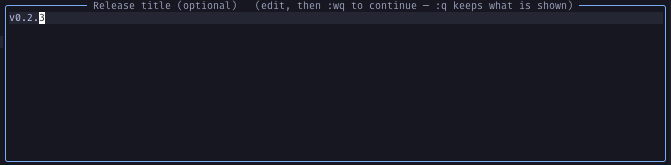
Then, I need to choose a release title. I won’t change this either. So I press again : q.
The next step is to write the release notes. I usually go with the option 2, letting GitHub generated release notes because I usually merge my code out of PRs, so the release notes is left with the descriptions in a bullet list for each one of the changes I’m including in the release. But for the sake of this simple example, I’ll choose the first option to include my own notes.
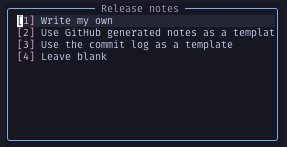
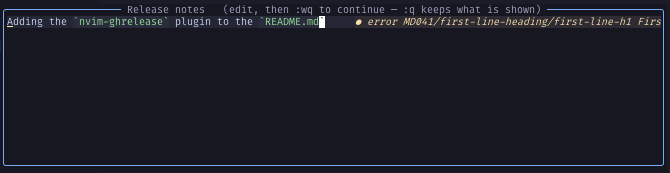
Then, I simply write and save by pressing : w q.
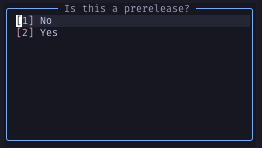
The next question is to tell if this is a prerelease. We choose No.
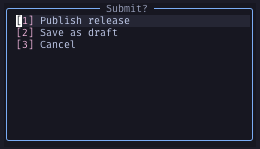
Then we submit the release by choosing Publish release, or Save as draft, or
the unlikely Cancel.
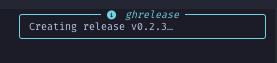
When done, the plugin launches two notifications. The first one shows the release creation.
If all goes well the second notification confirms the release creation.

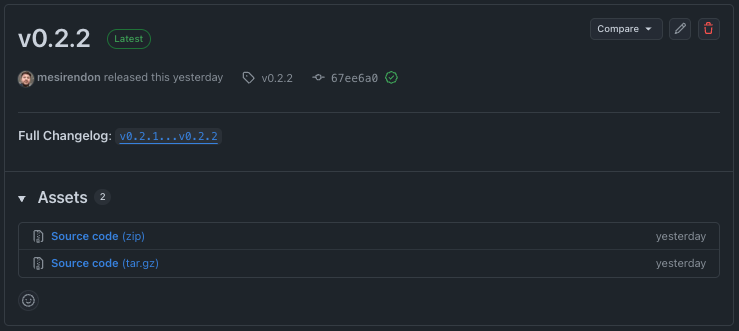
And we can check this in the project’s release screen.
Further work
I created this plugin due to the need of creating a new release without closing Neovim to do so. But, I think I will make improvements. So far, I’m planning to work on the following ones for starters:
- GH Release creation stabilization
- Tag collision + existence check. Right now if tag already exists,
ghfails at step 10 after the user has typed notes. Add agh release view <tag>/git rev-parse <tag>probe right after step 4 and offeroverwrite via edit/pick another/cancel." --verify-tag. When the tag already exists locally, pass it soghrefuses to create a release against a tag that doesn’t exist on the remote.
- Tag collision + existence check. Right now if tag already exists,
- Flags that round out
create:- Asset upload.
gh release create <tag> file1 file2#Label. Add an optional step taking globs (dist/*), resolved withvim.fn.glob, with a confirm listing resolved paths. I think this is going to be the single most-requested thing missing from a release helper. --generate-notesproperly. Currently, the plugin POSTs torepos/{}/releases/generate-notesto seed the buffer, which is good UX. But add a fifth notes source: “Let GitHub generate at publish time” when passing,--generate-notesand skip the buffer entirely.
- Asset upload.
- New commands, new entry points
:GhReleaseEdit [tag]asgh release edit. Same buffer machinery, seeded fromgh release view <tag> --json body,name,isDraft,isPrerelease. This is where draft-publishing lives: edit a draft yields--draft=false. Probably the highest-value new command since drafts are a dead end today.:GhReleaseListas a picker overgh release list --jsonthat dispatches toview/edit/delete/download, instead of the current read-only text dump. MakesM.listearn its keep.:GhReleaseDelete [tag]asgh release delete --yes, plus a confirm on--cleanup-tag.:GhReleaseView [tag]as rendergh release viewinto a markdown scratch buffer.:GhReleaseDownloadasgh release download, with a pattern prompt and a dir prompt.
- Polish
- Repo override. Every
ghcall should thread an optional--repo owner/namefrom config, so the plugin works outside a checkout. - Structured errors.
ghwrites actionable messages tostderr; it currently trims and dumps. Special-case the common ones (tag exists, protected branch, missing repo scope) into a hint. - Config for defaults.
default_target, assets glob list,generate_notes = true, so teams can codify a release convention and skip steps.
- Repo override. Every